
Paperless Recorders
Product Details · PRODUCT DETAILS
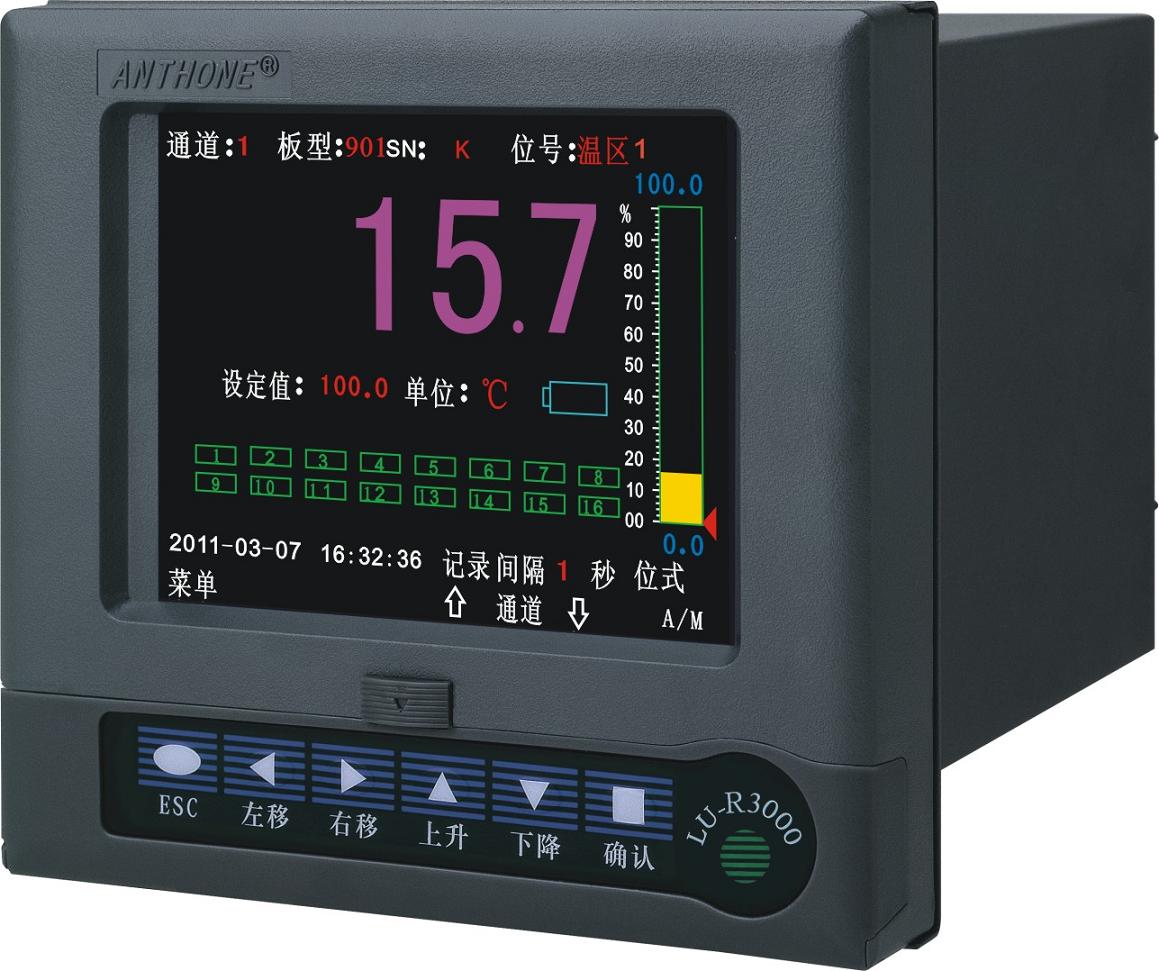
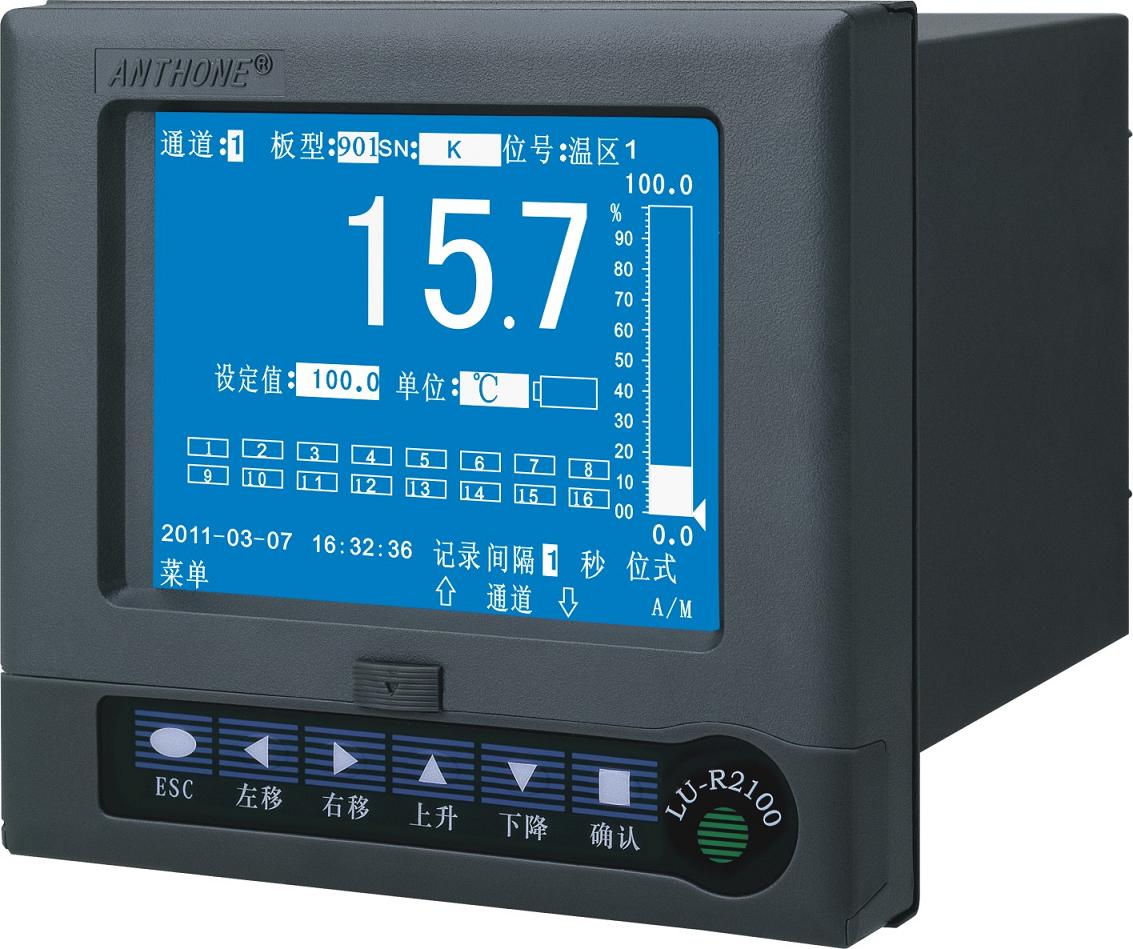
LU-R3000 Color LCD Display Control Paperless Recorder
On/off control, alarm functions, loop power output and optional printer.
I. Paperless recorder overview
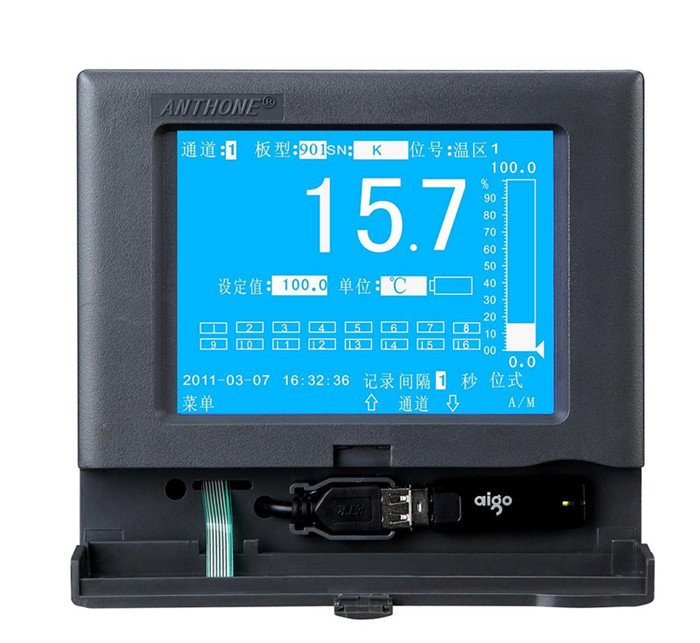
The LU-R3000 color LCD display control paperless recorder supports one to sixteen input channels and offers output functions such as on/off control, alarm and transmitter supply. The sixteen-channel instrument uses full-switching universal inputs and can accept thermocouple, RTD, standard current, standard voltage and frequency signals. A micro printer can be connected directly to print real-time and historical data and curves for a user-specified time period; through the RS232 communication interface it can be connected to a portable computer or PDA (personal digital assistant) to read the historical data of the instrument directly, which is then transferred to the computer, where the data management software can analyze, archive and print the acquired data. Through the RS485 communication interface it can be connected to professional configuration software such as KingView and MCGS to form a real-time monitoring system. Modern USB interface technology is also adopted to store data directly on a USB flash drive, extending the recording time.
The paperless recorder has powerful display functions: high-precision bar graph display, real-time trend curve display, historical curve recall, out-of-limit alarm, alarm status display, and intelligent automatic playback of historical trends, making it very convenient to locate alarm points; a positioning playback function is also available for directly querying the data of a year, month, hour, minute and second, quickly and conveniently.
II. Main technical specifications of the paperless recorder
Display: 320×240 high-resolution graphic blue-and-white monochrome LCD
Basic error: ±(0.2%F.S±1) digit
Input specifications: standard voltage: (0-5)V, (1-5)V
Standard current: (0-10)mA, (4-20)mA
Thermocouple: K, S, B, T, E, J, WRe325, N
RTD: Pt100, Cu50, Cu100
Special input: R, WRe526, mV signal, others (specify when ordering)
Output specifications: switching output: relay contact output (resistive 250VAC/0.8A or 250VAC/3A)
Solid state relay trigger (12V/50mA)
Transmitter supply:
DC12V/50mA
DC24V/50mA
DC5V/50mA
Transmitter output: 4-20 mA (load <650Ω), 1-5V
0-10 mA (load <1000Ω), 0-5V
Communication interface RS232 or RS485
Storage medium USB flash drive/512M, USB flash drive/1G, USB flash drive/2G
Recording time: 16-channel recording
Without USB flash drive 1.4 days/16 channels (recording interval 1 s) ~ 15 years/channel (recording interval 4 min)
With USB flash drive/512M 512/4×[1.4 days/channel (recording interval 1 s) ~ 15 years/channel (recording interval 4 min)]
With USB flash drive/1G 1G/4×[1.4 days/channel (recording interval 1 s) ~ 15 years/channel (recording interval 4 min)]
Data recording interval setting range: 1 s to 4 min; the intervals of the 16 channels can be set separately
Storage time: T = storage capacity / sum of the reciprocals of the recording intervals of all enabled channels; when the storage is empty, the storage capacity, i.e. the total number of stored records, is 4000×504.
For example: when the storage is empty and channels 1, 3, 5 and 7 are enabled with recording intervals of 1 s, 5 s, 10 s and 20 s respectively, then T = 4000×504/(1/1+1/5+1/10+1/20) = 1493333 s = 414.8 h = 17.28 days.
Power failure protection: setting parameters and historical data are stored in FLASH MEMORY, so data is retained permanently after power failure; a hardware clock is used and keeps accurate time even after power loss.
Power supply: switching power supply 85VAC~264VAC, 50HZ±1HZ, power consumption 12W
Ambient temperature: 0~45°C
Ambient humidity: 0~85% RH
LU-R3000 Color LCD Display Control Paperless Recorder User Manual
Click to download the product manual. If the download fails, please contact customer service.
Related Products
Need technical specifications and a quotation for this product?
Submit your request and our engineers will contact you within one business day.